Capture knowledge from KT sessions
For engineering managers, administrators 6 min read
Record or upload a knowledge-transfer walkthrough. ELOS transcribes it, drafts runbooks and notes linked to the moment they were said, and publishes what a person approves.
Before you begin
- An open handover (see Offboard and hand over).
- You're an admin or manager, the person leaving, or their successor. Publishing also needs Write docs.
The best handover is the one where the person leaving walks a colleague through how things really work. A KT session keeps that walkthrough useful after they've gone: ELOS drafts chapters, procedures, warnings and decisions from it, each linked to the second it was said, and nothing is published until a person approves it.
Add a recording
- Open the leaver's page from Knowledge transfer or Members. The KT sessions card is under the handover.
- Choose Add recording, then give the session a Session title.
- Choose Upload the recording and pick the video or audio file (mp4, mov, webm, m4a, mp3 or wav, up to 2 GB). Or choose Attach its transcript to link a recording that stays in Loom, Teams, Zoom, Google Meet or Drive and add the .vtt or .srt transcript the meeting tool made.
- Choose Upload and transcribe (or Attach and draft). An upload shows its progress; a one-hour meeting takes a few minutes to transcribe.
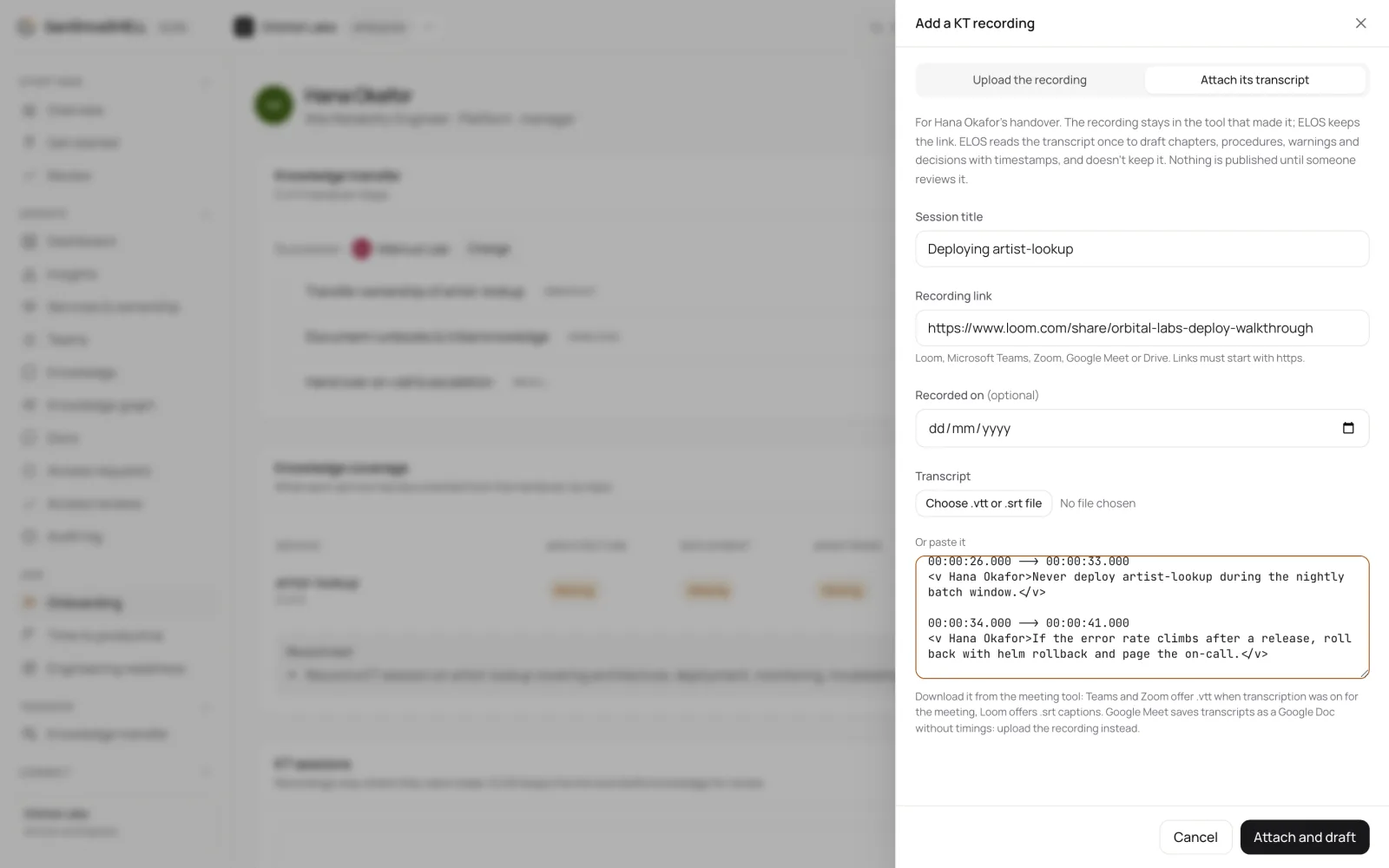
An uploaded recording is checked for malware first. ELOS then transcribes only the speech, using your own service, system and team names so they're spelled right, and drafts the knowledge. The KT sessions card shows each stage and explains a failure in plain words.
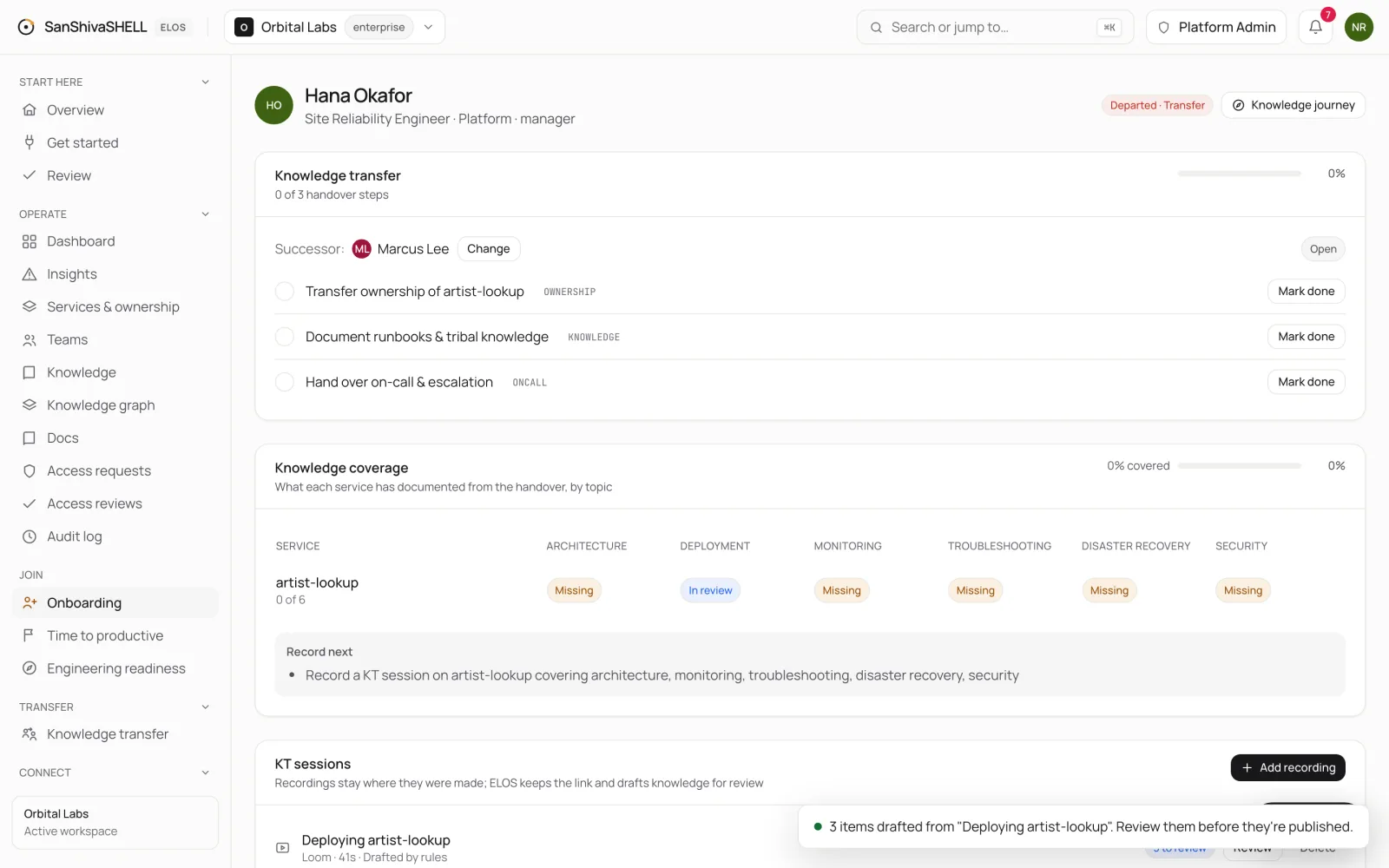
Review the drafts
- On the session, choose Review. Each draft says what kind it is, the topic and service it's about, and links to its moment in the recording.
- Approve what's right, correct the content, topic or service where needed, or Reject what's wrong (a rejected draft is deleted).
- Choose Publish approved. ELOS makes one doc per service and topic, each section linked to its moment in the recording, and a later session on the same service and topic extends that doc.
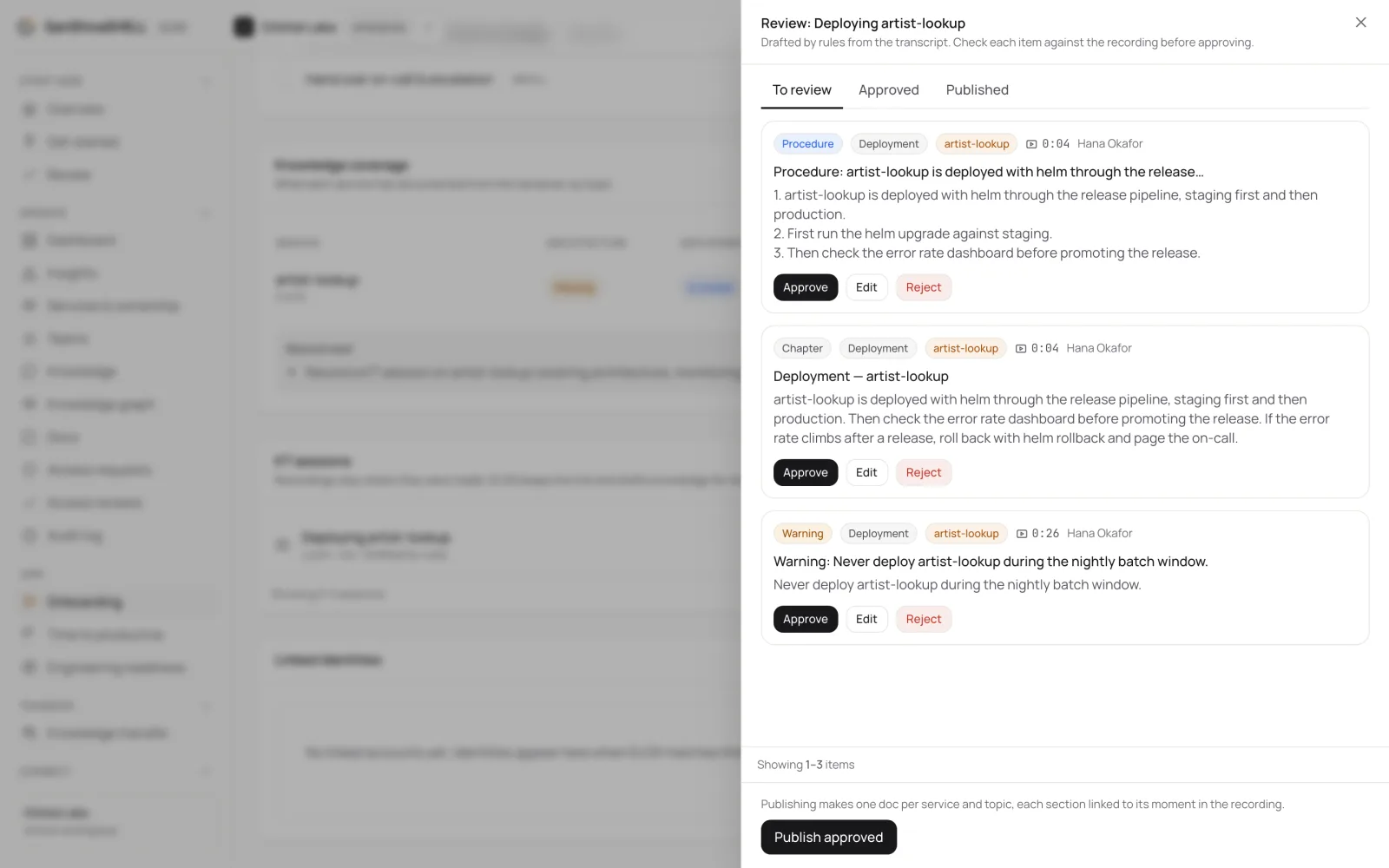
Drafts are labelled AI-drafted or Drafted by rules, so reviewers know how each was made. Either way every item must point at a real moment in the recording, or it isn't kept.
See what's still missing
Knowledge coverage shows, for each service in the handover, which topics (architecture, deployment, monitoring, troubleshooting, disaster recovery, security) are Covered, In review or Missing, and suggests what to Record next. It scores services, never people.
What ELOS keeps
- An uploaded recording is deleted as soon as processing ends, whether it succeeded or not. A linked recording stays where it was made; ELOS keeps only the link.
- The transcript is never stored: it exists only while the drafts are made.
- Drafts nobody publishes are deleted after a 30-day review window. Published docs are ordinary ELOS docs and follow your retention settings.
- Only admins and managers, the person leaving and their successor can see a handover's sessions.
What's next
- Offboard and hand over: When someone leaves, ELOS revokes their access, releases what they own to a successor, and keeps what they knew.
- Ask ELOS: Ask a question and get an answer from your organization's own knowledge, with citations, scoped to what you can see.