Bring your Backstage catalog
For administrators 5 min read
Already run Backstage? Connect it, and its components, owners, teams and dependencies arrive in ELOS. Nothing to type again.
Before you begin
- The Manage integrations permission (Platform Admin has it).
- Your Backstage backend URL, and a token that can read the catalog (unless your catalog answers without one).
Backstage stays where your catalog lives. ELOS reads it, keeps it current and never writes back, so the services, owners and teams you already described there become the starting point for onboarding, access and handovers.
Connect Backstage
- Open Integrations and find Backstage under Developer portal & catalog, or open Get started and use the Your existing service catalog step.
- Choose Connect.
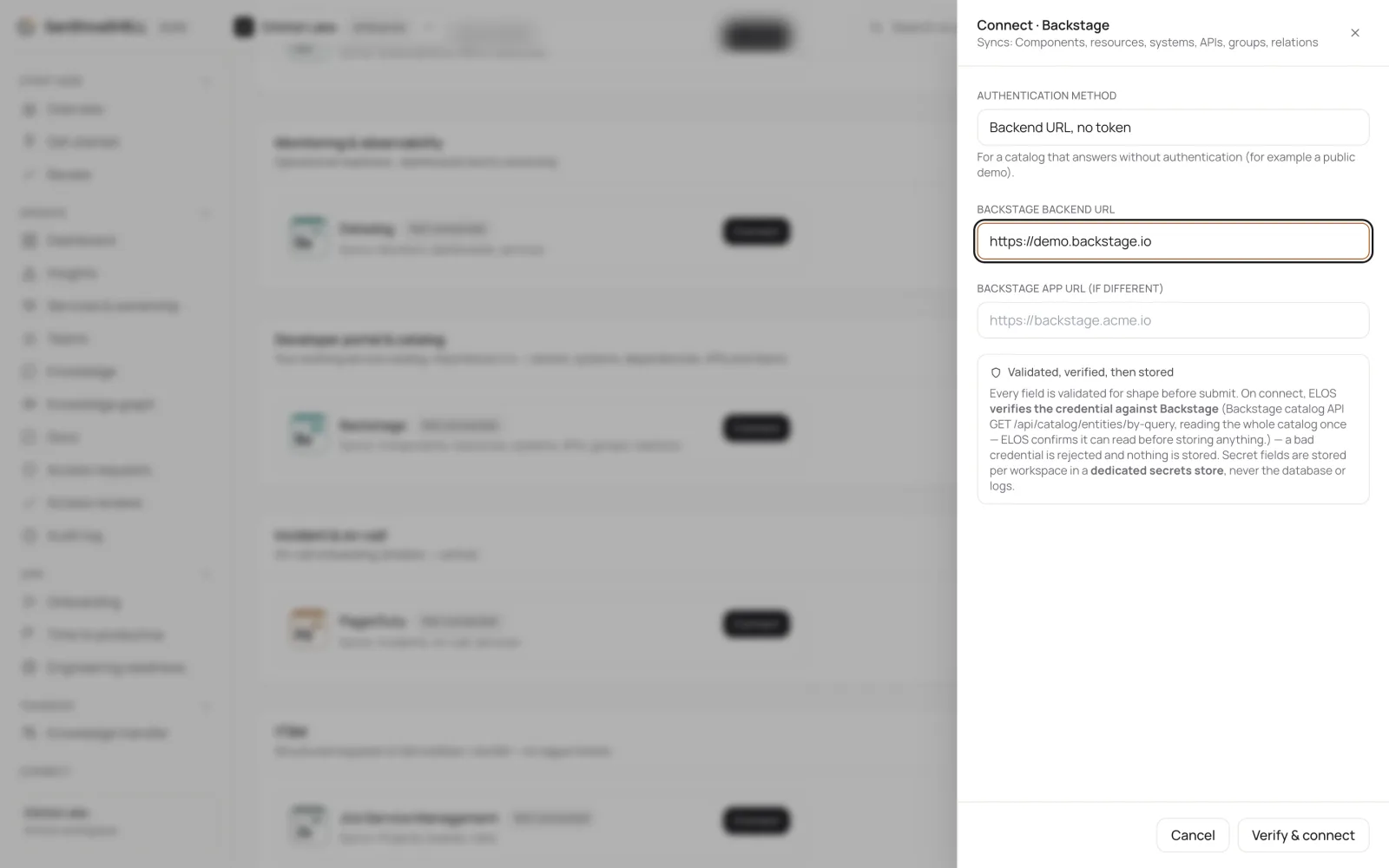
- Choose the Authentication method: Backend URL + token for a catalog that needs a token (a static external-access token with catalog read is enough), or Backend URL, no token for one that answers without authentication.
- Enter the Backstage backend URL. If people open Backstage at a different address than its backend, add the Backstage app URL too, so links from ELOS open the right page.
- Choose Verify & connect. ELOS reads your catalog once before saving anything; if it can't, nothing is stored.
What arrives
| In Backstage | In ELOS |
|---|---|
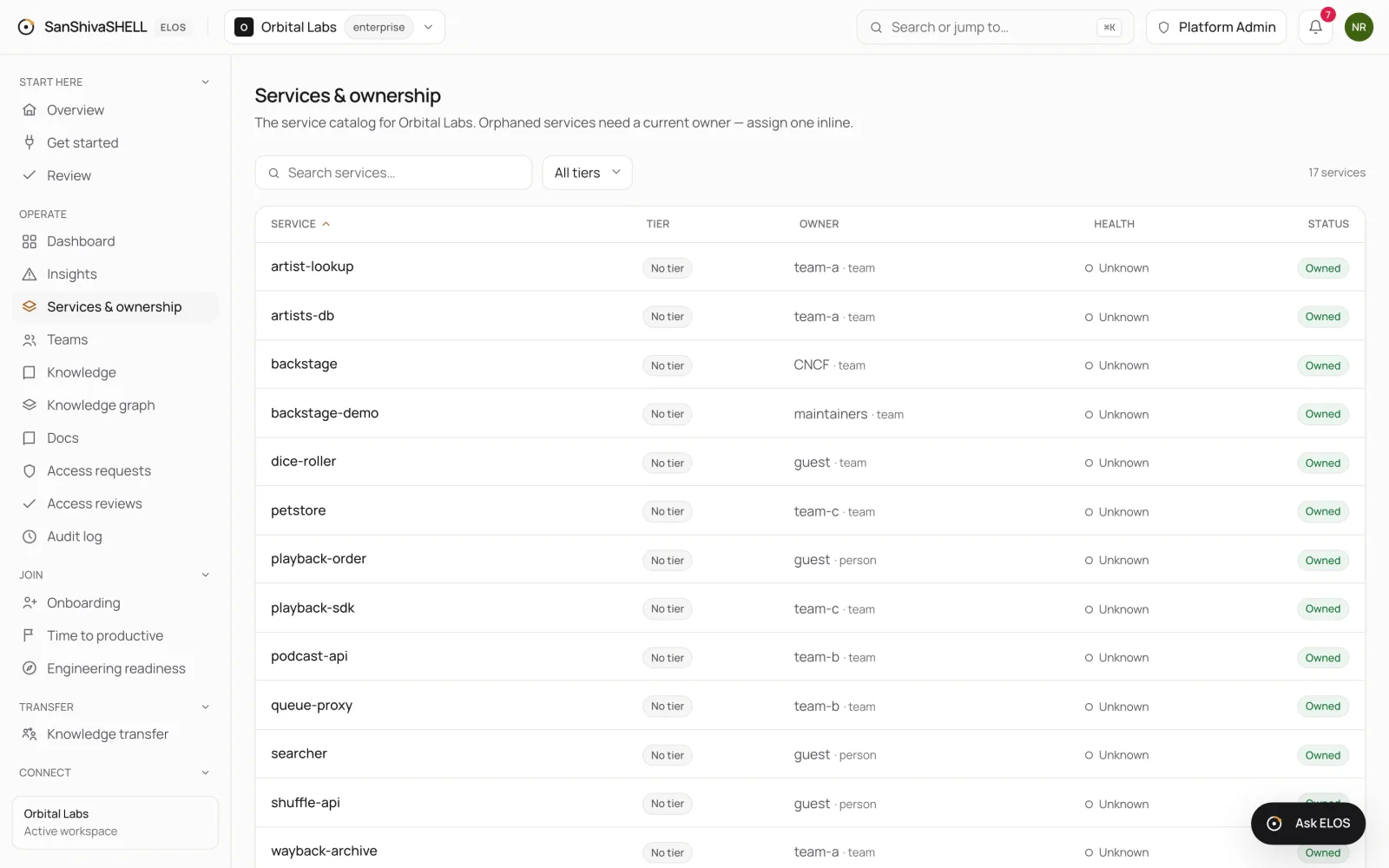
| Components and resources | Services, with their type, lifecycle, description, tags, system and domain, and links back to their Backstage page |
| The owner of a component | Its owner: a group becomes the owning team, a user the owning person |
| Dependencies | Dependencies between services, shown on each service |
| APIs a component provides or consumes | Listed on the service, with a link to the API's page in Backstage |
| Groups | Teams, with their parent team and members |
| Users | Linked to the people already in ELOS by name. ELOS never creates people from Backstage: your identity provider owns who works here |
Keep it current
ELOS reads your catalog again on a schedule, and Discover again on Get started refreshes it now. A component you remove in Backstage, or a dependency you change, follows on the next read.
What's next
- Review what your tools disagree on: When your tools disagree about a service, or ELOS matched something only by name, the decision waits in Review. Settle items one at a time or in bulk.
- Onboarding templates: ELOS proposes each engineering team's day-one plan from your tools. Approve it once, and everyone your identity provider adds to that team gets it automatically.