Track onboarding and clear blockers
For engineering managers, administrators 5 min read
See every joiner's progress, where onboarding is stuck and who can unblock it, and request their day-one access in one step.
The onboarding pipeline
Onboarding shows everyone who is ramping up, with the lowest readiness first so the people who need help are at the top.
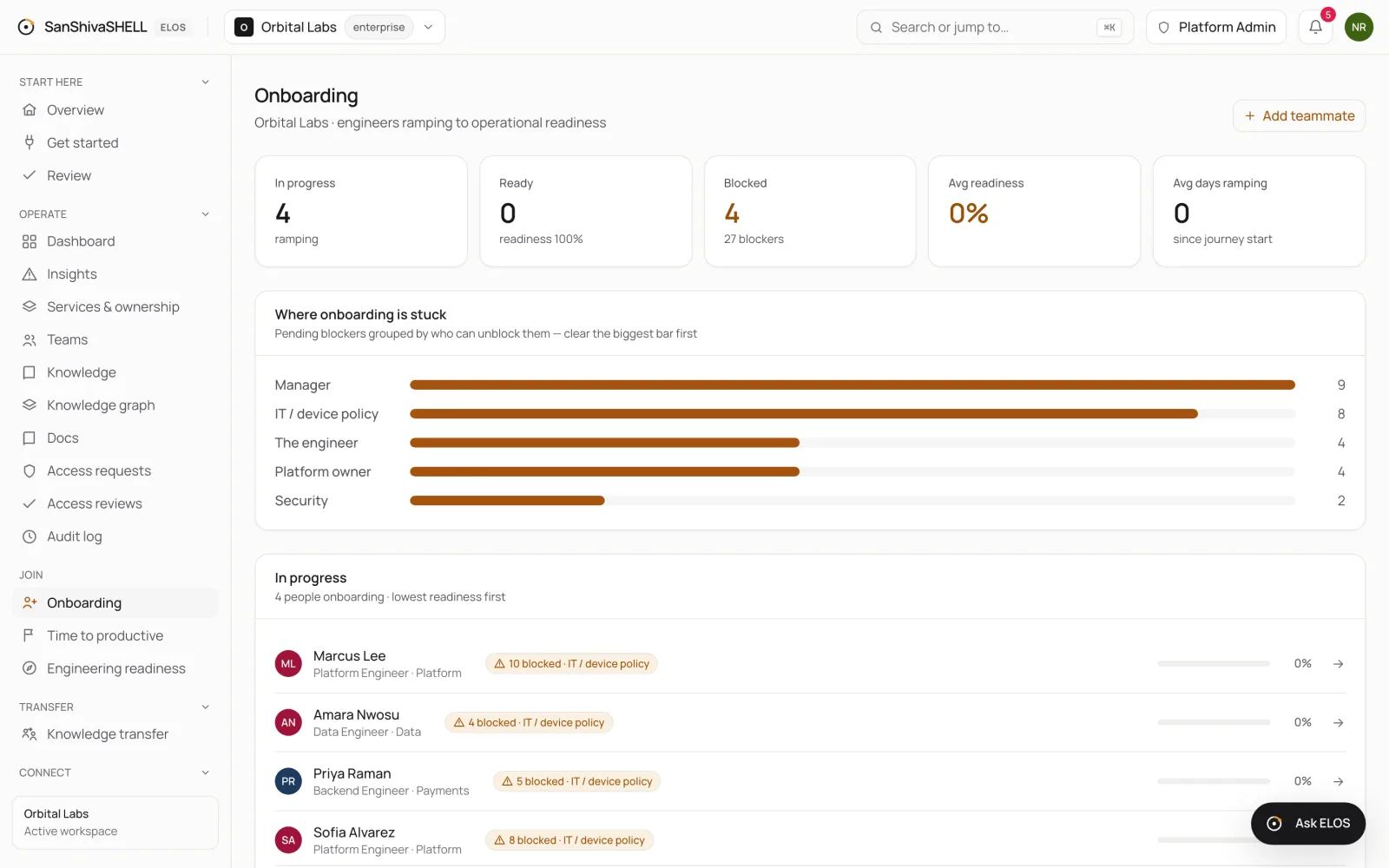
- In progress, Ready, Blocked, Avg readiness and Avg days ramping summarize the pipeline.
- Where onboarding is stuck groups pending blockers by who can clear them, such as the manager, IT or security. Clear the biggest bar first.
One person's onboarding
Select a joiner to open their page. What's blocking readiness lists each open item and who it's waiting on. Day-one readiness lists their plan by access, assets and tasks.
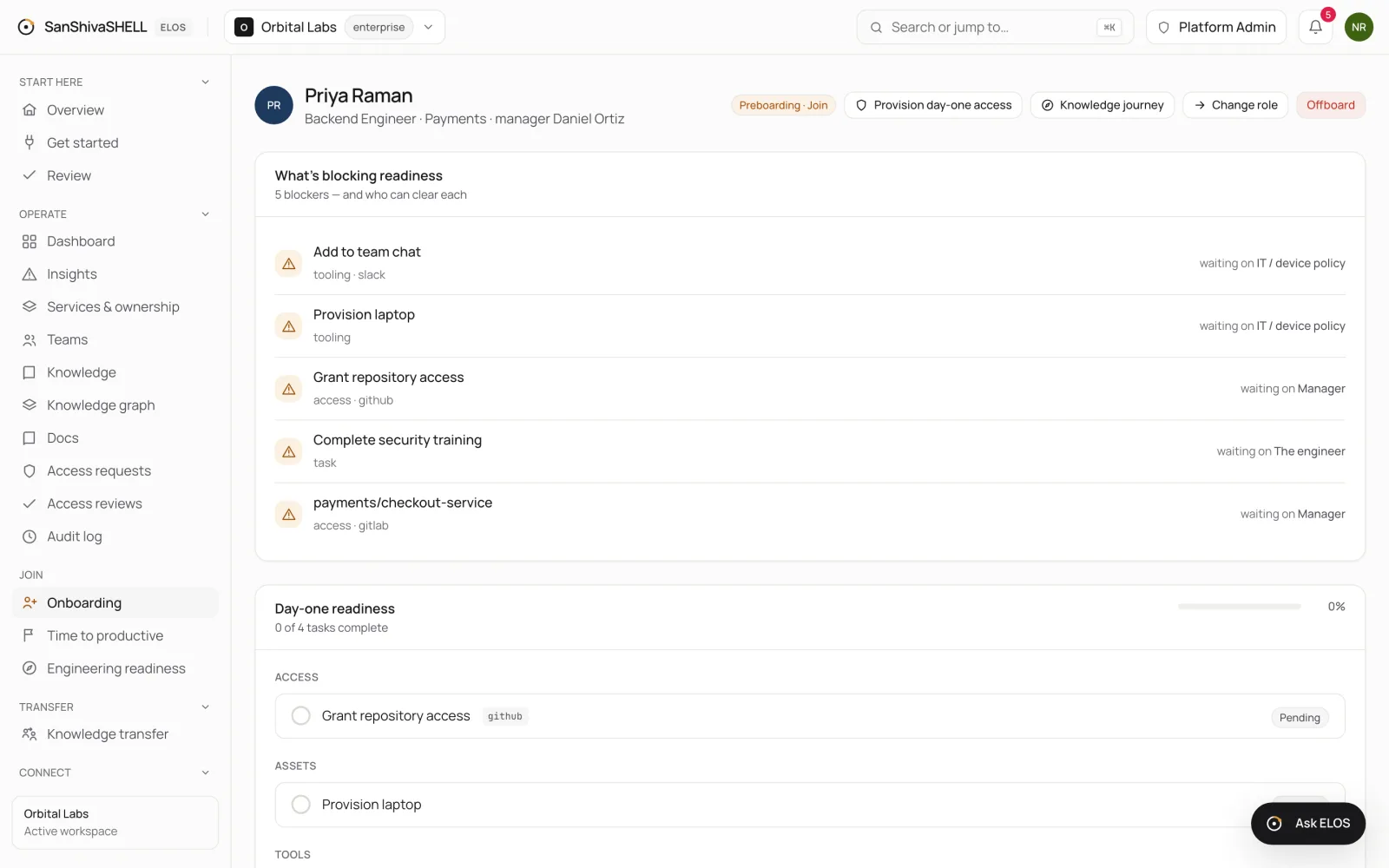
Request day-one access
- On the joiner's page, choose Provision day-one access.
- ELOS requests the access bundle for their role, one request per system, each routed to its approver.
- Approvers decide on Access requests. See Approve access.
Nothing is granted until it's approved, and every grant is time-bound.
Other actions
- Knowledge journey opens the joiner's journey.
- Change role handles a move to another role or team. See Change a role or team.
- Offboard starts a departure. See Offboard and hand over.
What's next
- The knowledge journey: A staged path from project context to engineering-ready. Each stage unlocks when the one before is done.