Connect your tools
For administrators 5 min read
Connect identity, source control, cloud and other systems. Each credential is verified with the provider before it's trusted.
Before you begin
- The Manage integrations permission.
- A credential for each system, created with the least privilege it needs.
ELOS orchestrates the tools you already run and never replaces them. Each connection lets ELOS read metadata (people, groups, repositories, access) and drive actions back through the tool's own controls.
Connect a system
- Open Get started in the sidebar. Setup flow lists systems by the step they belong to; By category lists every system ELOS connects to.
- Choose Connect next to a system.
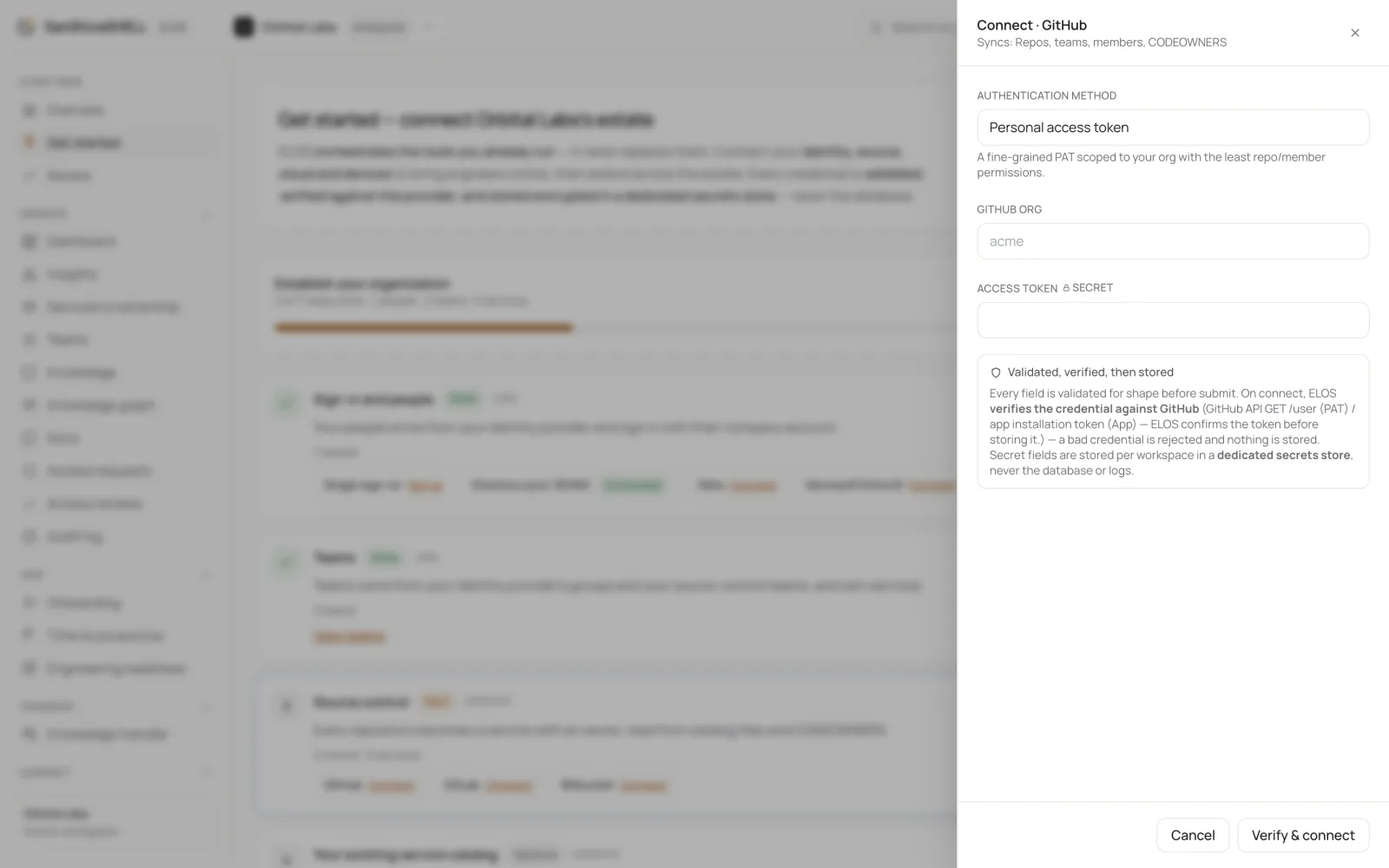
- Choose the Authentication method if the system offers more than one, then enter what it asks for. For GitHub with a personal access token, that's your GitHub org and the Access token.
- Choose Verify & connect. ELOS checks the credential with the provider before saving it. A credential the provider rejects isn't stored, and nothing shows as connected until the provider answers.
After you connect
Discovery starts in the background and its progress shows under Discovery activity on Get started. See Set up your organization.
What each system is used for
| Category | Examples | What ELOS uses it for |
|---|---|---|
| Identity & SSO | Okta, Microsoft Entra ID, Google Workspace | People, groups and app access |
| Source control | GitHub, GitLab, Bitbucket | Repositories, teams and ownership |
| Cloud | AWS, Microsoft Azure, Google Cloud | Accounts and the access engineers need in them |
| Incident & on-call | PagerDuty | Incidents on the services they affect, who's on call, escalation policies and schedules, and each service's health |
| Developer portal & catalog | Backstage | Services, owners, teams and dependencies you've already catalogued. See Bring your Backstage catalog |
See the integrations page for every system and its current status.
What's next
- Bring your Backstage catalog: Already run Backstage? Connect it, and its components, owners, teams and dependencies arrive in ELOS. Nothing to type again.