Approve access
For engineering managers, security and compliance 4 min read
Decide requests routed to you. Some need more than one approval; the final approval issues a time-bound grant.
Before you begin
- The Approve access permission.
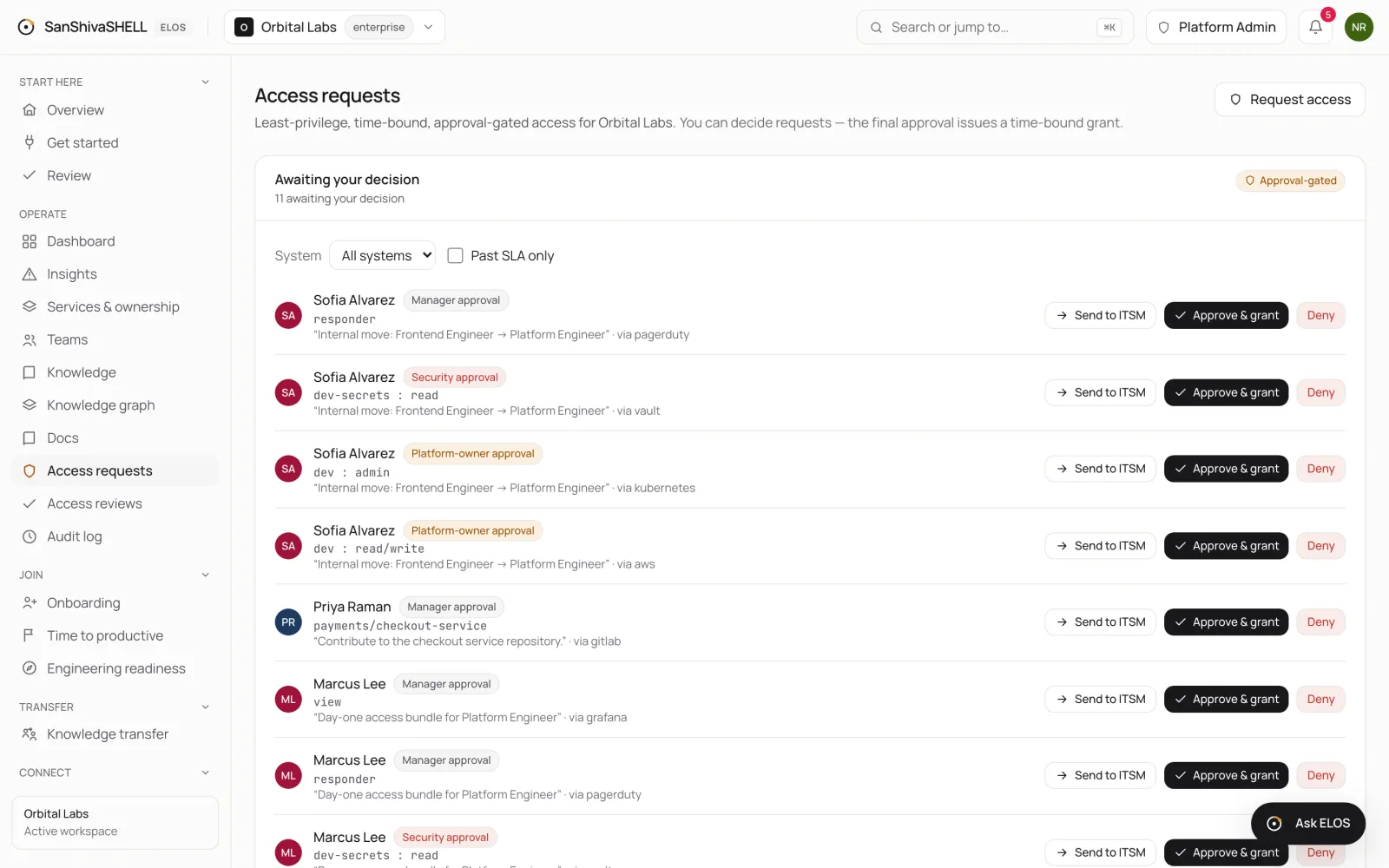
Access requests shows the requests Awaiting your decision. Each shows who asked, the resource and level, their justification, the system, and which approval it needs.
Approval levels
Sensitive access needs more than one decision. A request can need Manager approval, Platform-owner approval or Security approval, in turn. Approving one level moves the request to the next; the final approval issues the grant.
Decide a request
- Read the justification and check the resource and level are what the person needs, and no more.
- Choose Approve & grant to approve, or Deny to refuse.
A grant lasts for the duration the approver sets or, if none is set, the workspace default in Settings. When it expires, it's revoked automatically.
Separation of duties
- Nobody can approve their own request.
- Every request, decision, grant and expiry is recorded in the audit log.
What's next
- Time-bound privileged elevation: Temporary local-admin rights to install or update a tool, approved like any access and expiring on their own.