Roles, permissions and read scope
For administrators, security and compliance 6 min readAvailability depends on your plan
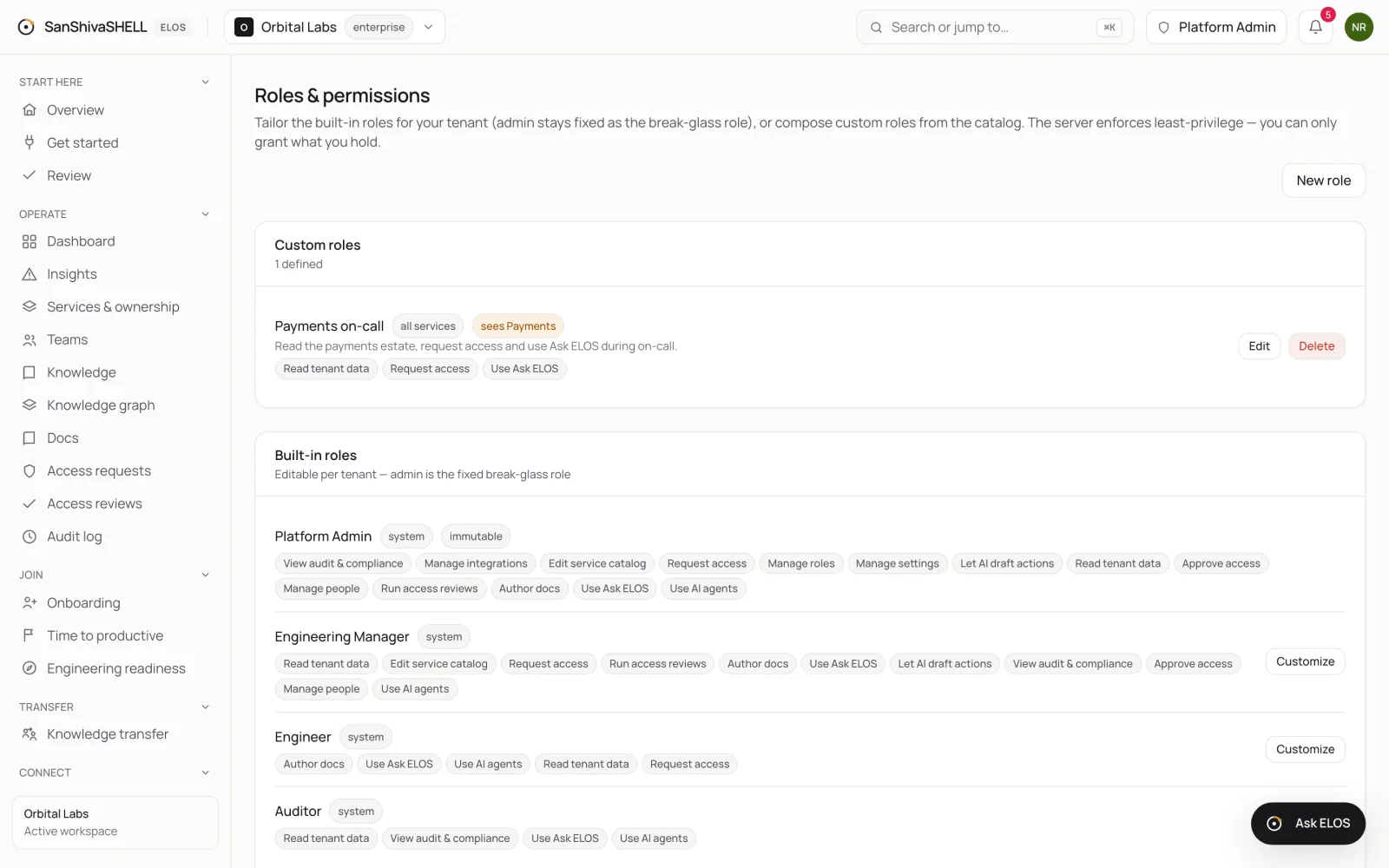
Use the built-in roles, tailor them, or compose custom roles from the permission catalog, and limit what a role can see.
Before you begin
- The Manage roles permission, which only administrators hold.
Every action in ELOS is checked against a permission. A role is a set of permissions; each member has one role. The server enforces least privilege: you can only grant permissions you hold.
Built-in roles
| Role | For |
|---|---|
| Platform Admin | Everything, including roles and settings. Fixed, so there is always a break-glass administrator. |
| Engineering Manager | Team operations: people, approvals, access reviews, the service catalog and compliance views. |
| Engineer | Reading, authoring docs, requesting access and using Ask ELOS. No approvals or administration. |
| Auditor | Read-only compliance: the audit log, access reviews and evidence. |
Choose Customize on a built-in role to change its permissions for your workspace. Platform Admin can't be changed.
Create a custom role
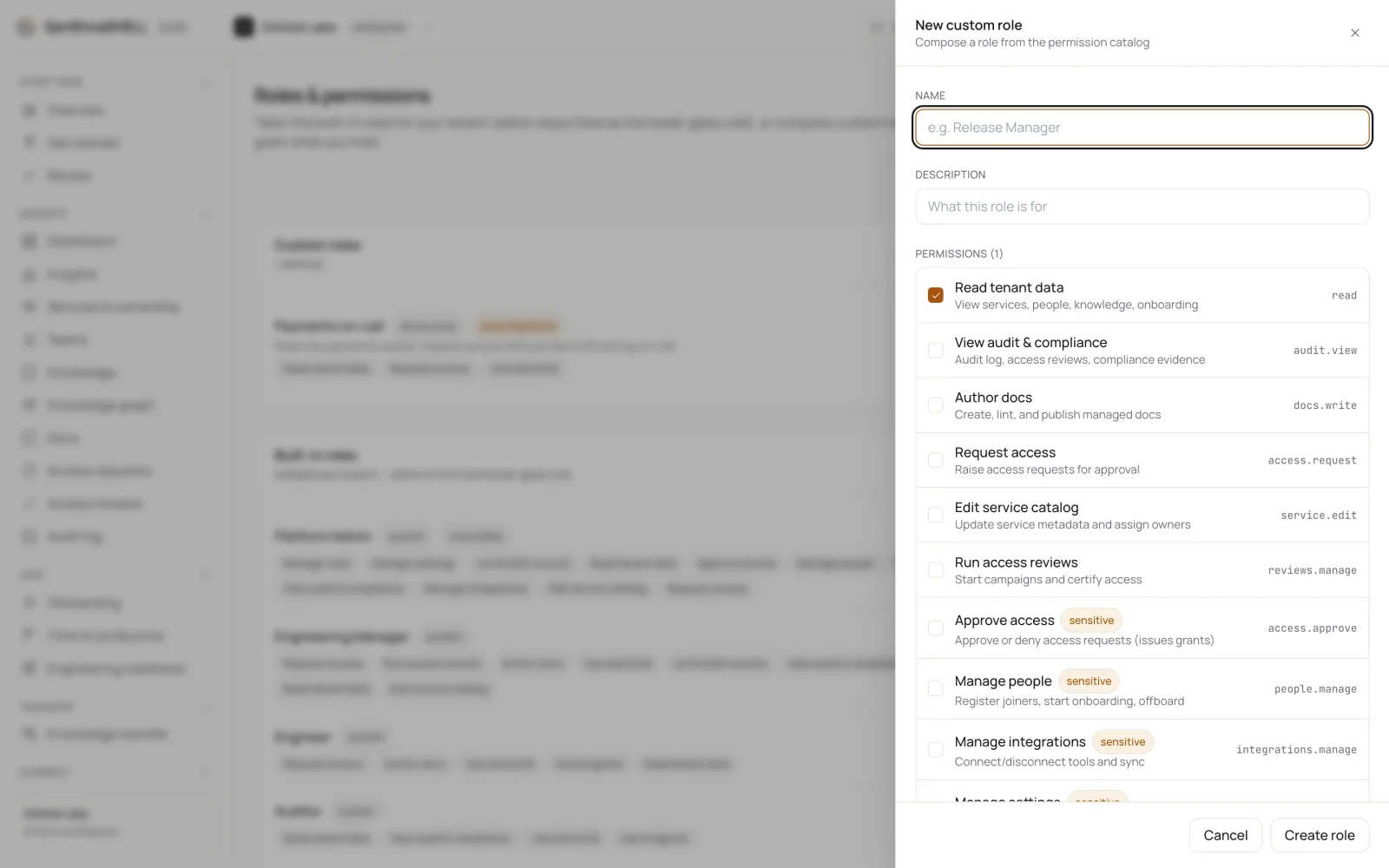
- Open Roles & permissions and choose New role.
- Enter a Name and a Description that says what the role is for.
- Select its Permissions. Sensitive permissions, such as Approve access or Manage people, are marked.
- Optionally, under Applies to, choose Specific services to restrict editing to the services you pick.
- Under What this role can see, keep Whole organization or choose Limited by team, tier, or service.
- Choose Create role. Then assign it on the Members page.
Read scope
Read scope limits what a role can see to the services owned by chosen Owning teams, of chosen Service tiers, or picked individually. On the role list, a limited role shows what it sees, for example sees Payments.
The same scope applies to Ask ELOS: an answer only uses what the person asking can see in the product.
See the permissions reference for every permission.
What's next
- Service accounts and API keys: Give automation and CI a machine identity with its own role and an API key you can rotate or disable.